 SnapNuvo
Your info online · November 6, 2026 · By Robert
How to remove my address from Google search, free, in 3 moves
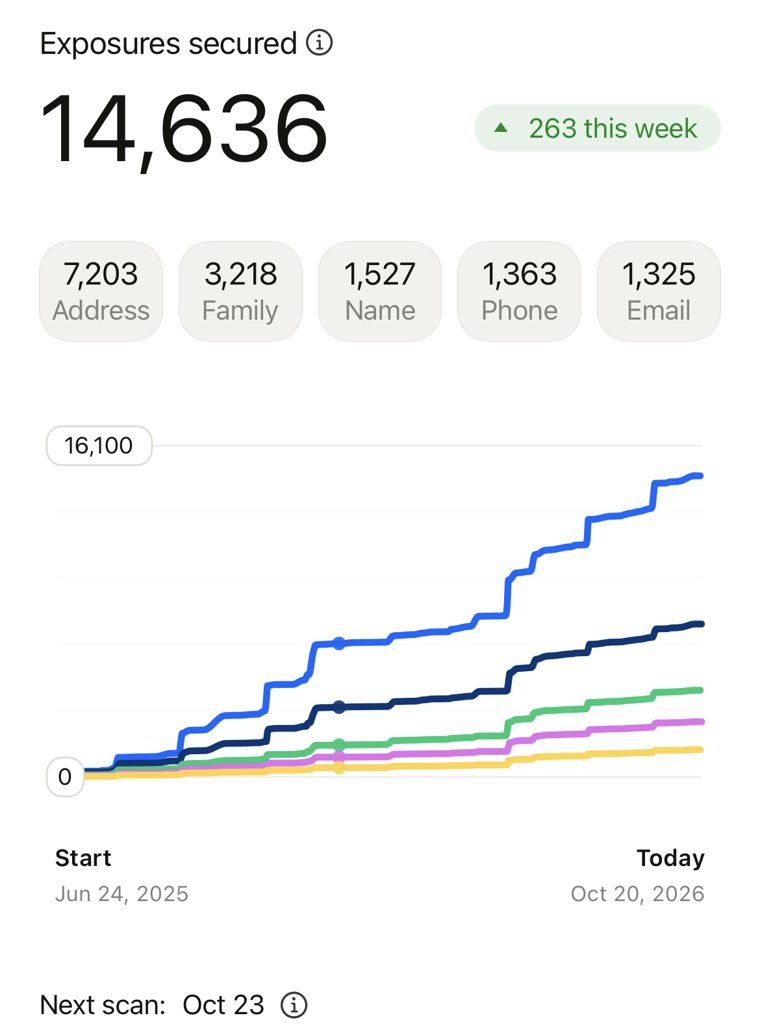
You can remove your address from Google search for free in three moves: ask Google to drop the results with Results about you, blur your house on Google Maps Street View, and delete the listing at the source. That last one matters most. Of the 14,636 exposures Cloaked has secured on our account, 7,203 were addresses. That's almost half.
Move 1: remove my address from Google search with Results about you
Google's free tool covers home addresses as well as phone numbers and email addresses (Google). If you already did this for your number after our phone number guide, you only need to add your address.
- Open the tool. In the Google app, tap your profile picture, then Results about you. On a computer, go to myactivity.google.com/results-about-you.
- Add your address. Enter your name and your home address. Add old addresses too, since people-search pages often list every place you've lived.
- Turn on alerts. Google checks Search regularly and emails you when a new result shows your address.
- Request removals. In the To review tab, pick each result and tap Request to remove. Follow it under Removal requests.
Google may turn down results from government, news or business sites it sees as useful to the public, such as property records (Google). And an approved request only hides the page in Google. The page itself stays up.
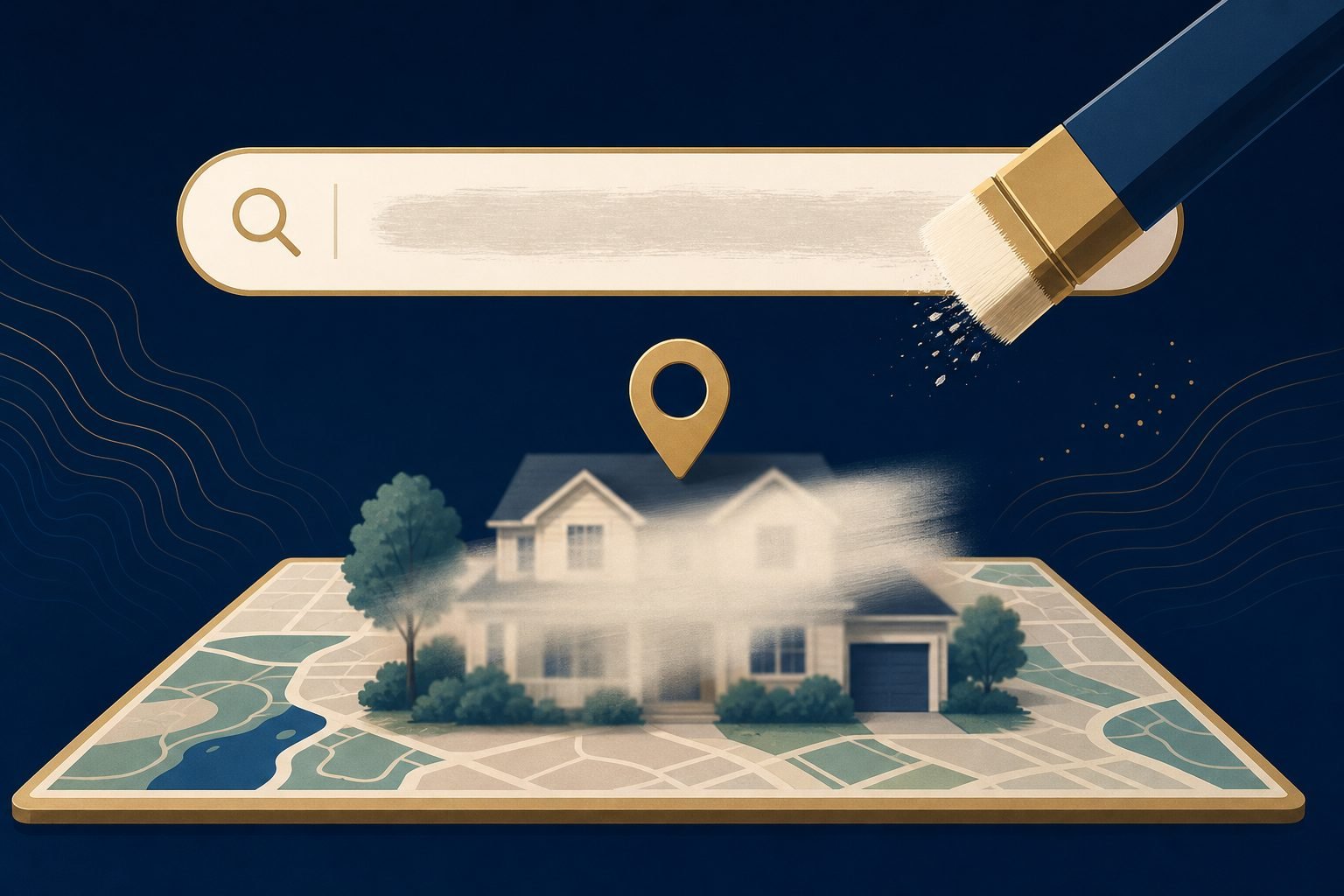
Move 2: blur your house on Google Maps Street View
Search results aren't the only place your home shows up. Anyone who has your address can drop into Street View and see your front door, your car and your yard. Google will blur it if you ask (Google Maps Help):
- Find your home in Google Maps on a computer or in the app, and open the Street View image.
- Tap Report a problem in the bottom-right corner.
- Choose My home, confirm you're allowed to make the request, add proof of address, and enter the address.
- Submit the form.
Think before you send it. Google says the blur is permanent, so you can't undo it if you sell the house or change your mind.
Move 3: remove your address from people-search sites
Most Google results with your address come from people-search sites. Those sites are data brokers, and the FTC says most offer a free opt-out, though you may need to verify your identity and check back because the listing can reappear (FTC). In California, the free DROP tool sends one deletion request to every registered data broker.
This is the part we pay for, because the numbers got out of hand. Cloaked has secured 14,636 exposures on our account since June 2025, and 7,203 of them were addresses, more than every other type. Sites it cleared include Radaris (13 exposures), VeriPages (8) and AffordableBackgroundChecks (12). It isn't fully hands-off: PeopleConnect still needs one manual step from us, which clears 13 sites.
Watch out for "we'll hide your house" scams
Because both Google tools are free, a text that says your home is "visible on Google Maps" and asks for a fee to blur it is a red flag. Don't tap the link. Open Google Maps yourself instead. It's the same trick as the fake "remove your number" texts we covered on Wednesday, and the same rule from our spam texts guide applies: never reply, block and report.
Want to see which sites list your address? Cloaked has a free exposure scan before you pay anything.
Run Cloaked's free scan →May earn SnapNuvo a commission
Common questions about removing your address from Google
Is it free to remove my address from Google?
Yes. Results about you and the Street View blur request are both free. Any text or email that asks you to pay to blur your house or remove your address from Google is a red flag.
Can I unblur my house on Google Street View later?
No. Google says the blur is permanent, so it stays on newer Street View images too. Only ask for it if you're sure.
Does removing my address from Google delete it from the internet?
No. Google only removes the result from Google Search. The people-search page that lists your address stays up until you opt out of that site.
Why does my address keep coming back?
People-search sites rebuild profiles from public records and other data brokers. The FTC says your info can reappear after an opt-out, so check again every few months or use a service that rescans for you.
Related: How to remove my phone number from Google search · How do spammers get my phone number? · Is Cloaked worth it?
Sources
- Google Search Help, Find and remove personal contact info in Google Search results
- Google Search Help, Remove my private info from Google Search
- Google Maps Help, Blur Street View imagery
- FTC Consumer Advice, What to know about people search sites that sell your information
- California Privacy Protection Agency, DROP
- Our own Cloaked account, exposures by type and data broker list, checked October 20, 2026